 Tenglow
What is inside Tenglow
Everything the app does, in plain terms. Screens on this page are real screenshots.
Plans
A plan built from five answers
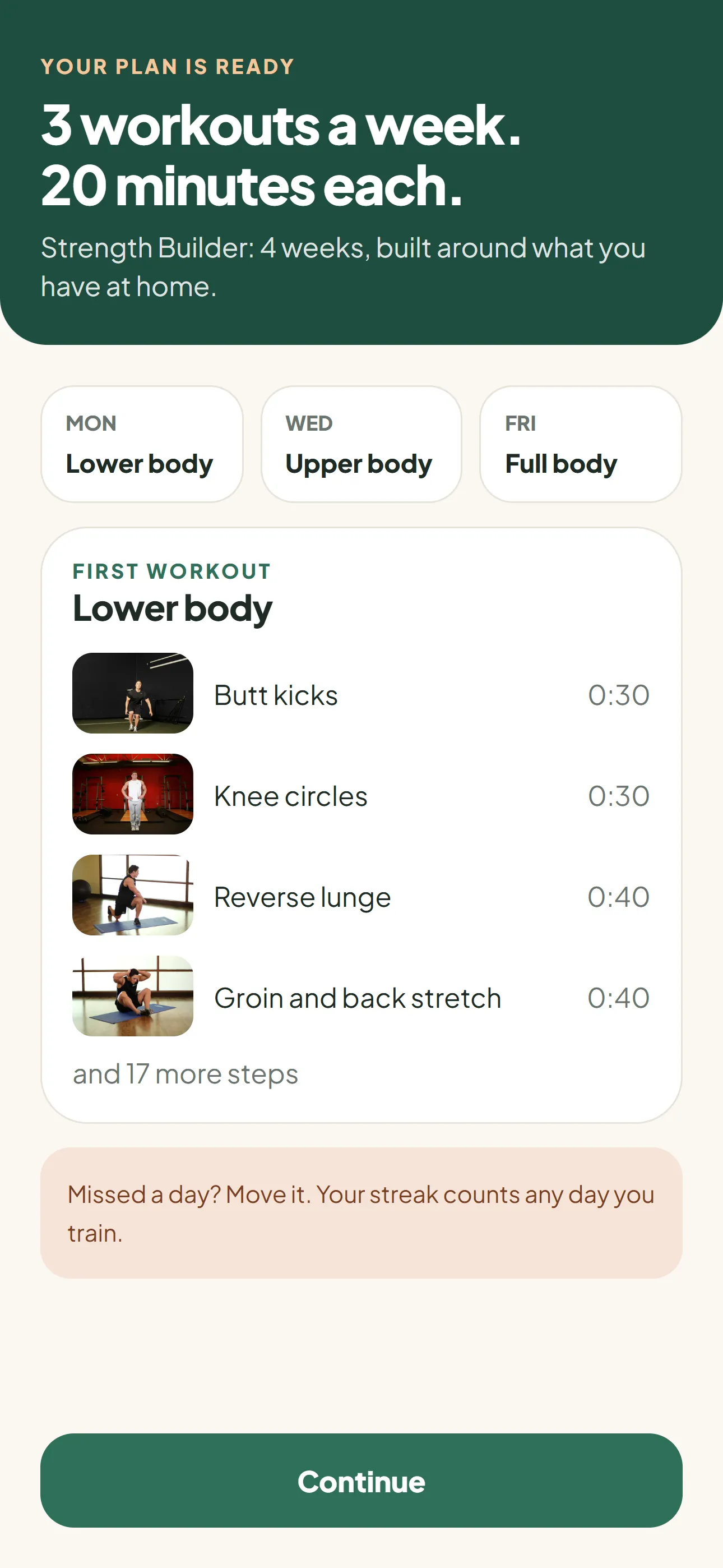
The setup quiz asks for your goal, your level, the equipment you own, how many minutes you want and which days suit you. From that, Tenglow picks one of five four-week programs and lays out your week.
Your planned days are a guide. Train on any other day and it still counts toward your streak and your program. The next workout is chosen from how many you have finished, so a missed day never scrambles the order.
- 10, 20 or 30 minute workouts
- Five four-week programs with weekly progression
- Equipment is a hard filter: no dumbbells selected, no dumbbell moves
Workout timer
A timer that runs the whole workout
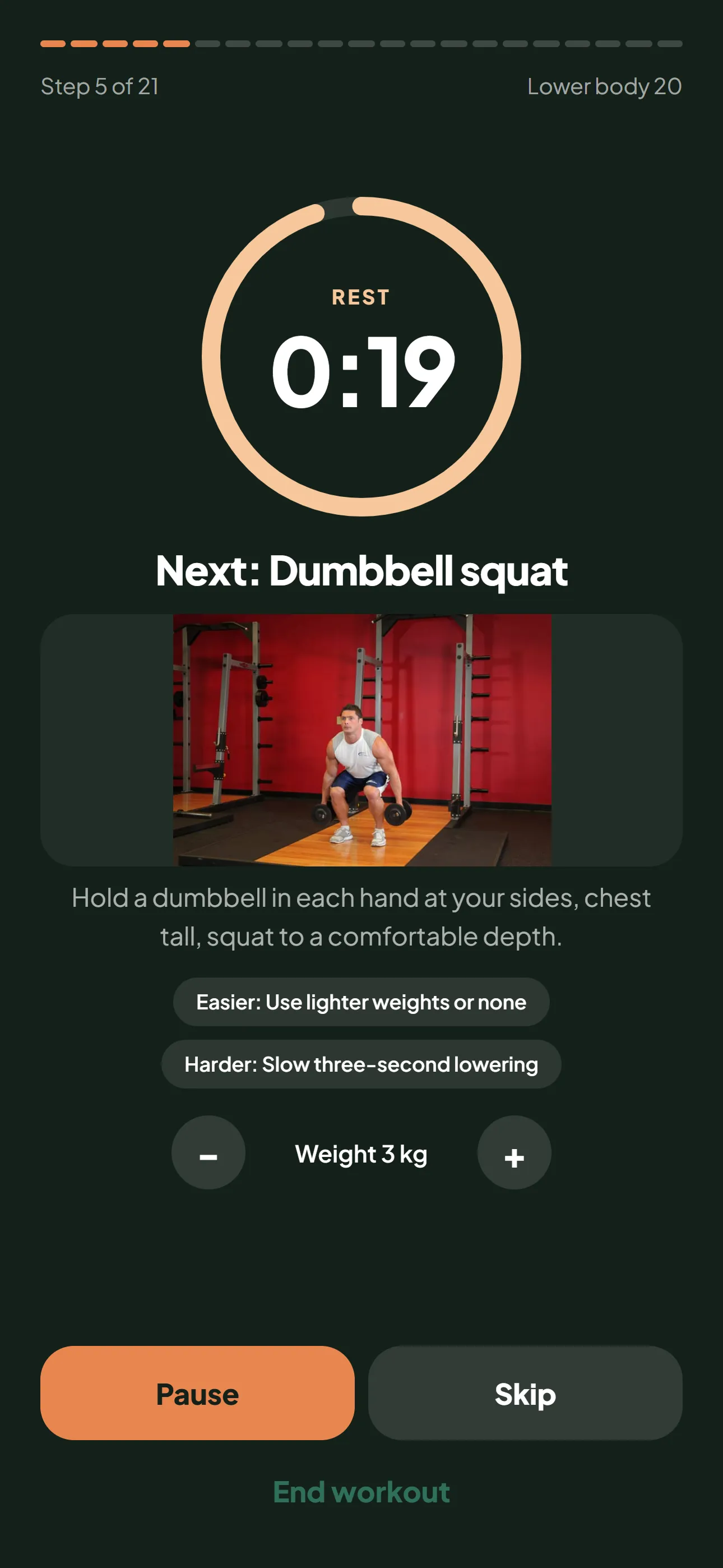
Each step shows a countdown ring, the exercise name, a photo and a short cue. Work and rest alternate on their own. You can pause or skip, and the screen stays awake so you do not have to touch the phone.
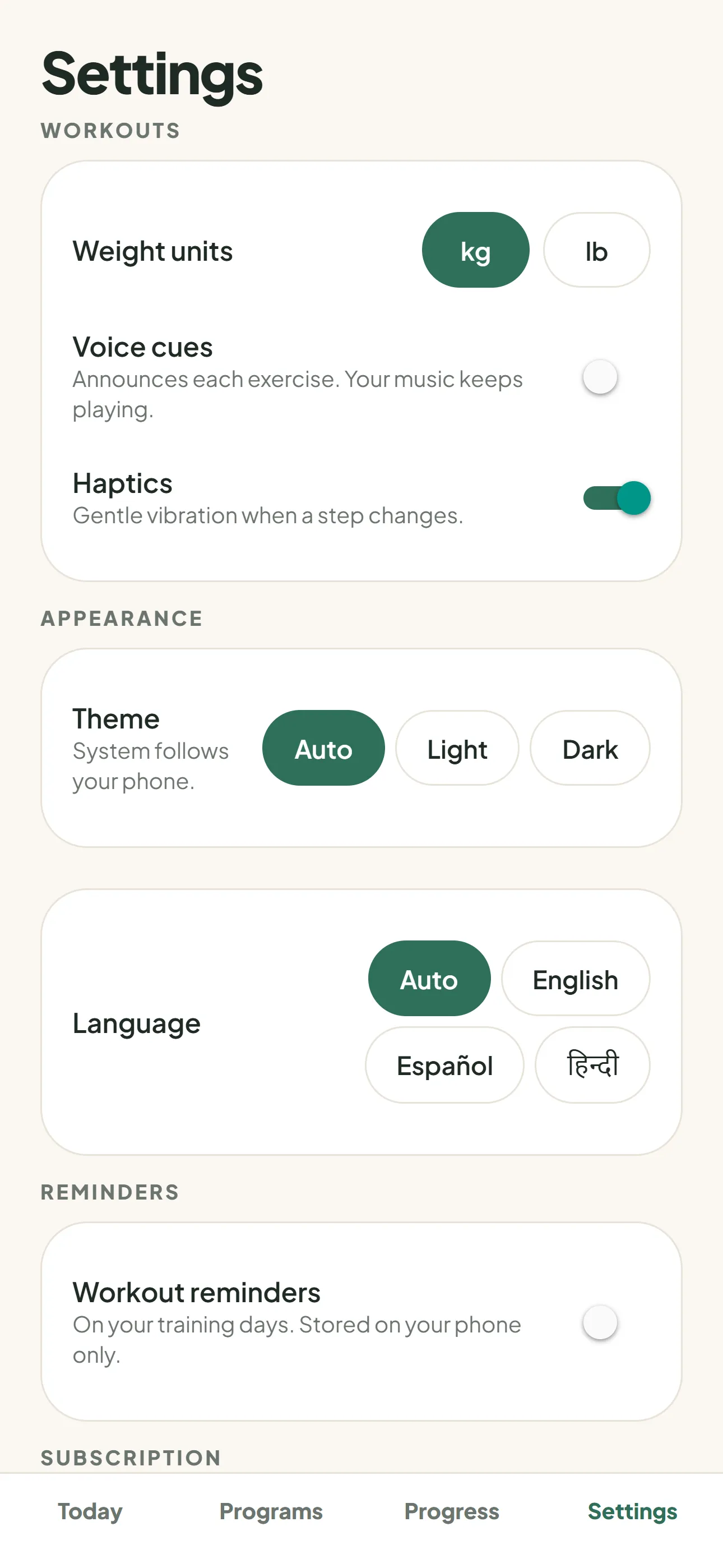
Voice cues can announce each exercise, and a gentle vibration marks every change. Both are optional and live in Settings.
- Warm-up, main block and cool-down in every workout
- Pause and skip
- Voice cues and haptics you can switch off
Exercises
A photo, a cue and two ways to do it
Every one of the 34 exercises has two photos that show the start and the finish, plus a written cue. We do not have videos. The photos and words are meant to be enough to start well.
Each move also comes with an easier version and a harder one, shown on the timer screen while you work out. Tired today? Take the easier one and keep going.
- 34 exercises: bodyweight, dumbbells and bands
- Easier and harder option for every move
- Full guides on this site, one page per exercise
Habit
A streak that forgives one bad day a week
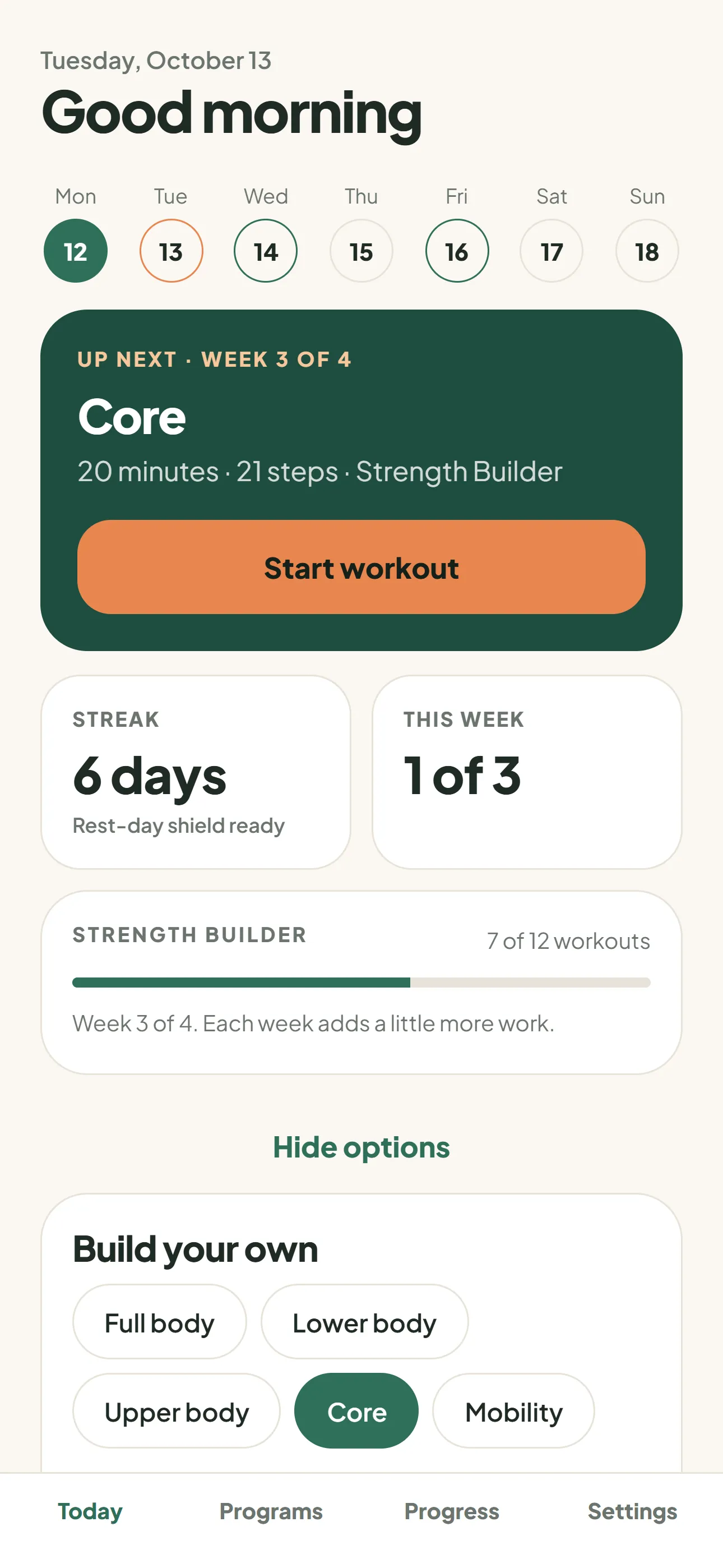
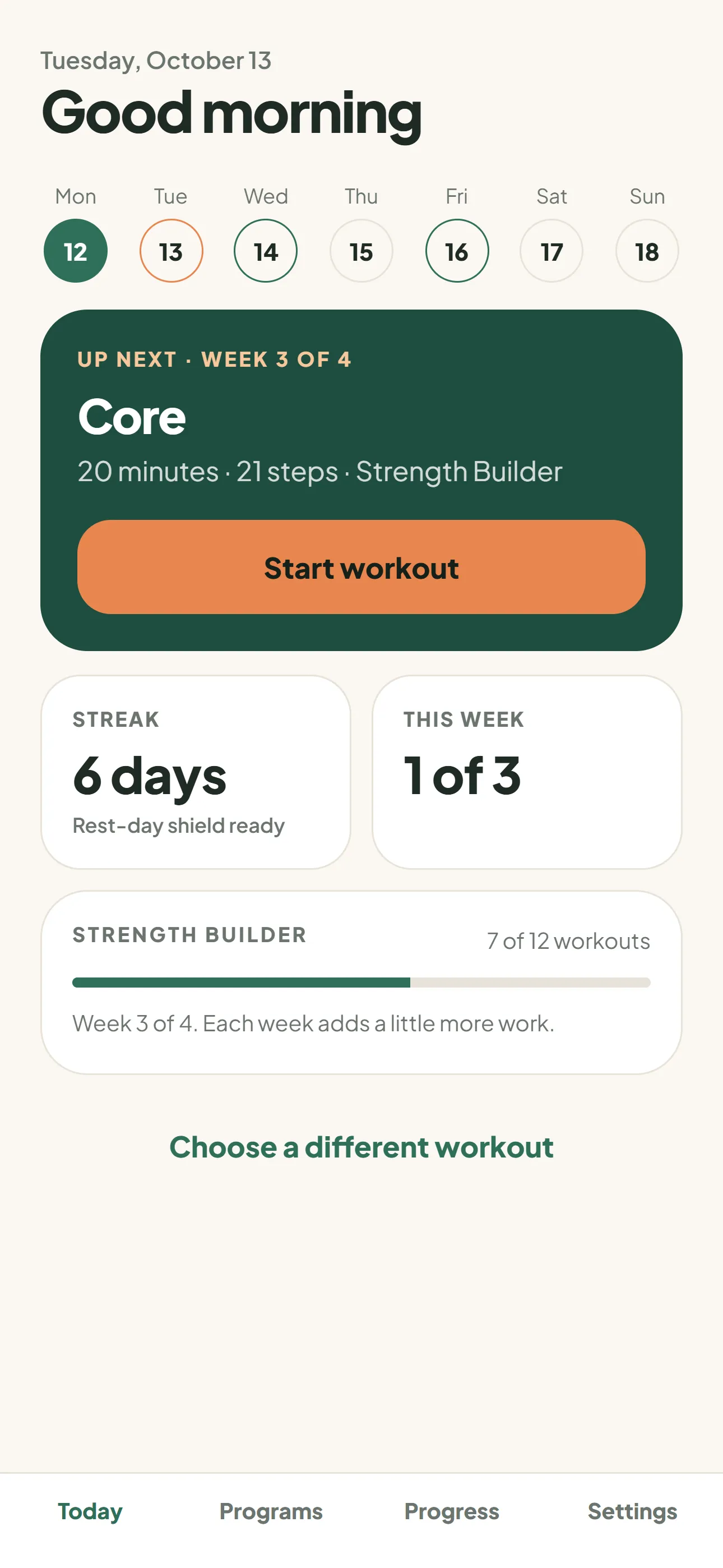
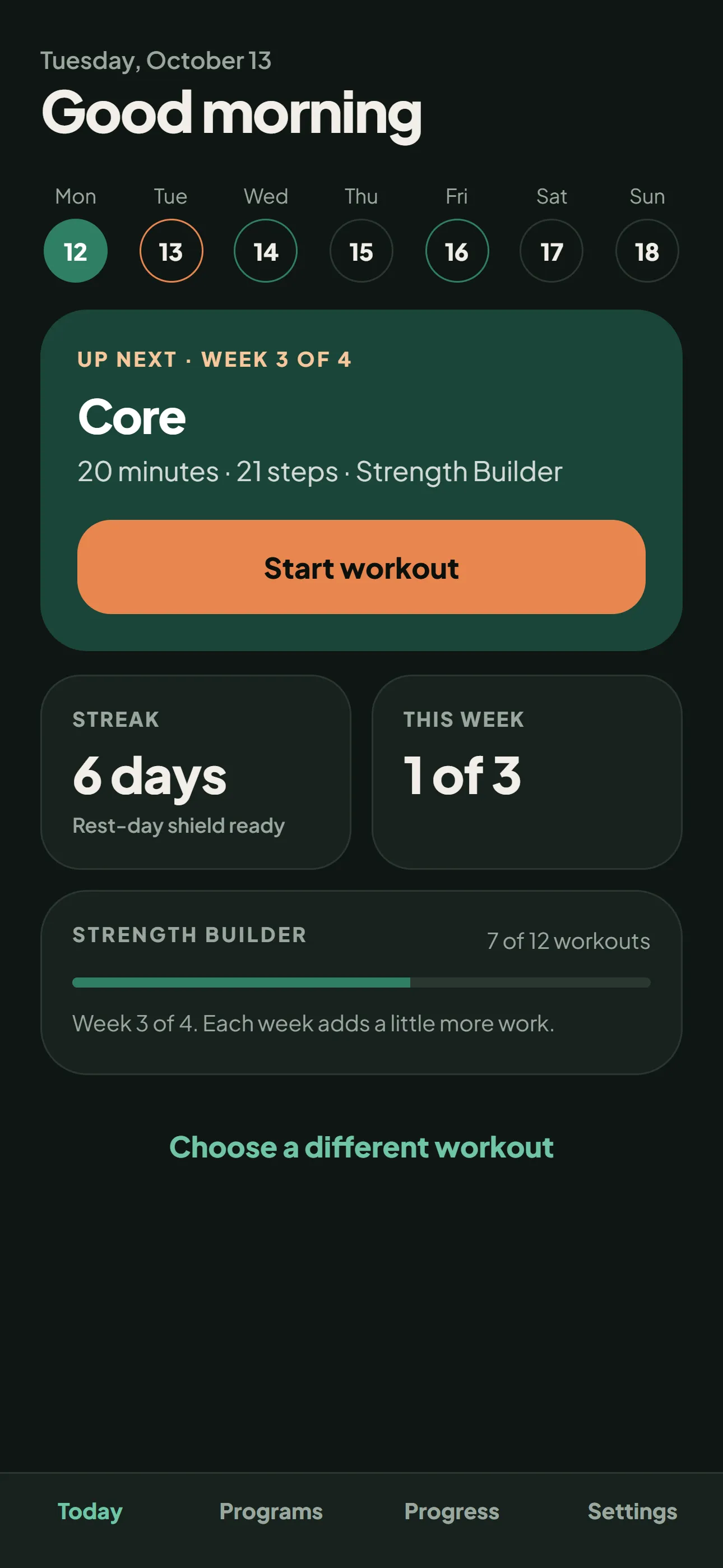
The Today screen shows your week, your streak and the next workout. Miss one day and the rest-day shield keeps the streak alive. Miss two in a row and it resets. The shield renews every Monday.
We built it this way because strict streaks make people quit after one slip, and we would rather you came back.
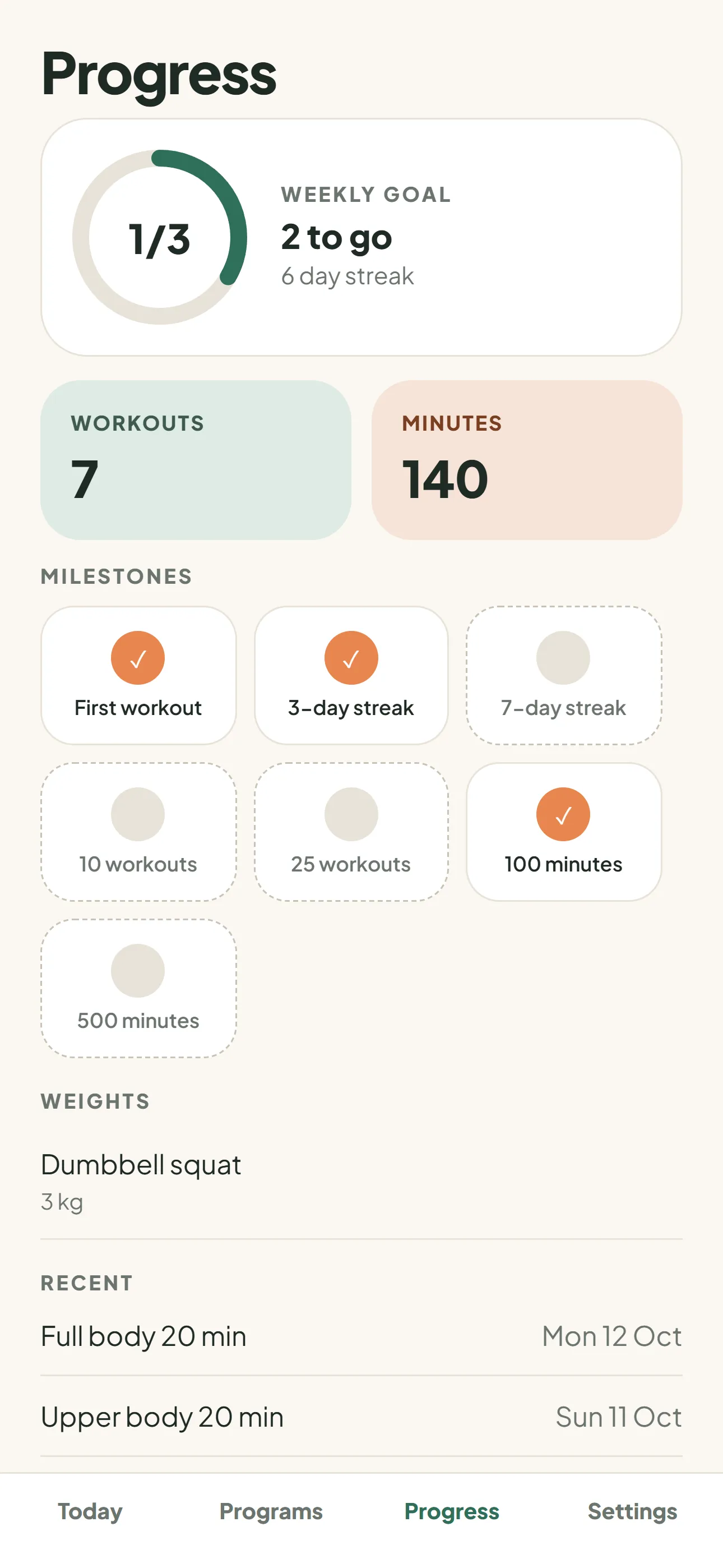
- Weekly goal ring on the Progress screen
- Milestones for first workout, streaks and total minutes
- Share a finished workout with a friend
Progress
Weights and history you can export
For dumbbell moves you can set the weight with plus and minus buttons. Tenglow remembers it for next time and draws a small trend line on the Progress screen, in kilograms or pounds.
You can export your workouts and weights as CSV or JSON whenever you like, and delete everything from Settings.
- Weight history per exercise
- Workout history list
- CSV and JSON export
Everyday use
Reminders, widgets, dark mode and three languages
Turn on reminders and pick a time, and Tenglow nudges you on your training days. Home screen widgets show your next workout, your streak and your week.
The app follows your phone for light or dark mode, and you can override it in Settings. It speaks English, Spanish and Hindi, including the exercise names and cues.
- Optional reminders on training days
- Home screen widgets for iPhone and Android
- Dark mode
- English, Spanish and Hindi
- Optional saving of finished workouts to Apple Health or Health Connect
Privacy
Your data stays yours
Tenglow works without an account. Your plan, history and weights live on your phone. If you want a backup or a second phone, you can sign in with Apple or an email code. There are no passwords.
There are no ads and no tracking. Anonymous crash reports go to Sentry unless you turn them off in Settings. The privacy policy lists exactly what is collected.
- No account needed
- Delete your data or your account from Settings
- Health saving is write-only: Tenglow never reads your health data
Ten minutes is enough to start
Tenglow is launching soon on iPhone and Android.