 Tenglow
Launching soon on iPhone and Android
Home workouts that fit into ten minutes
Answer five quick questions and Tenglow builds a weekly plan around the equipment you own and the days you can train. Then you press start and follow the timer.
What is Tenglow?
Tenglow is a home workout app for iPhone and Android. You tell it your goal, fitness level, equipment, how many minutes you have and which days you want to train. It builds a four week plan of 10, 20 or 30 minute workouts, and a timer guides you through every move with a photo, a short cue and an easier and harder option.
How does it work?
Answer five questions
Your goal, your level, what you have at home, how long you can spare and which days suit you. It takes about a minute.
Get a four week plan
Tenglow picks a program and fills your week. Every workout uses only the equipment you chose.
Press start
A timer runs each step. You see the move, a short cue and an easier or harder version if you need one.
Log it and keep going
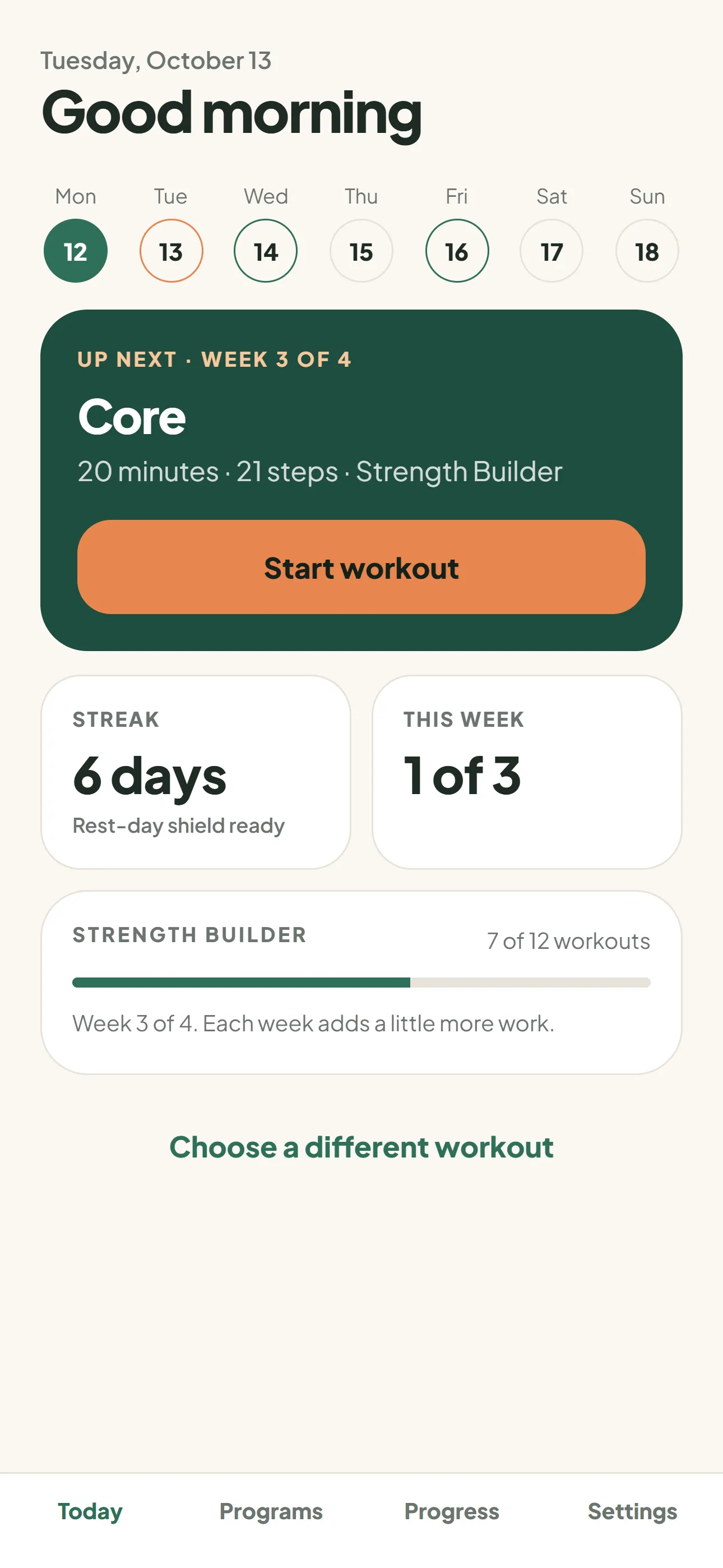
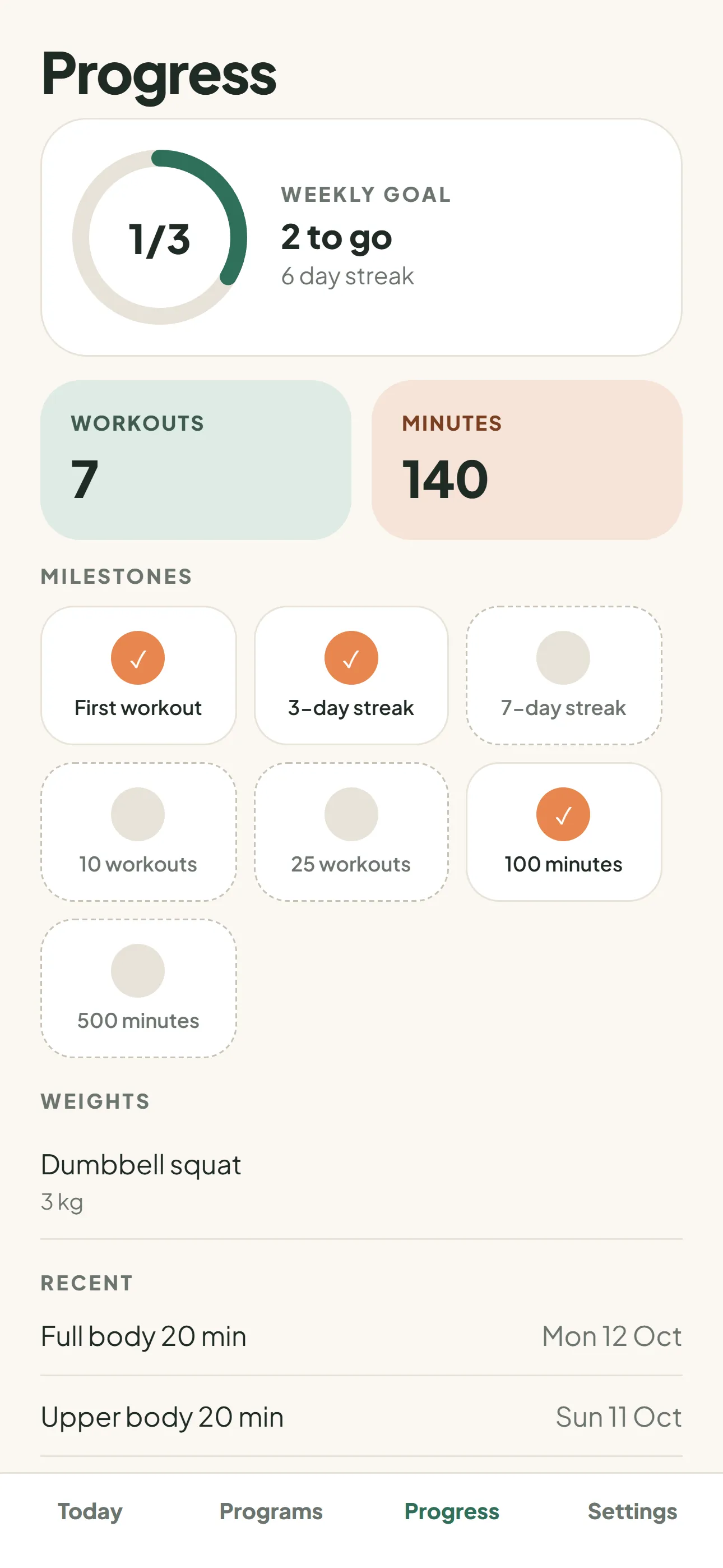
Finished workouts feed your streak and weekly goal. Dumbbell moves remember the weight you used last time.
What is inside the app?
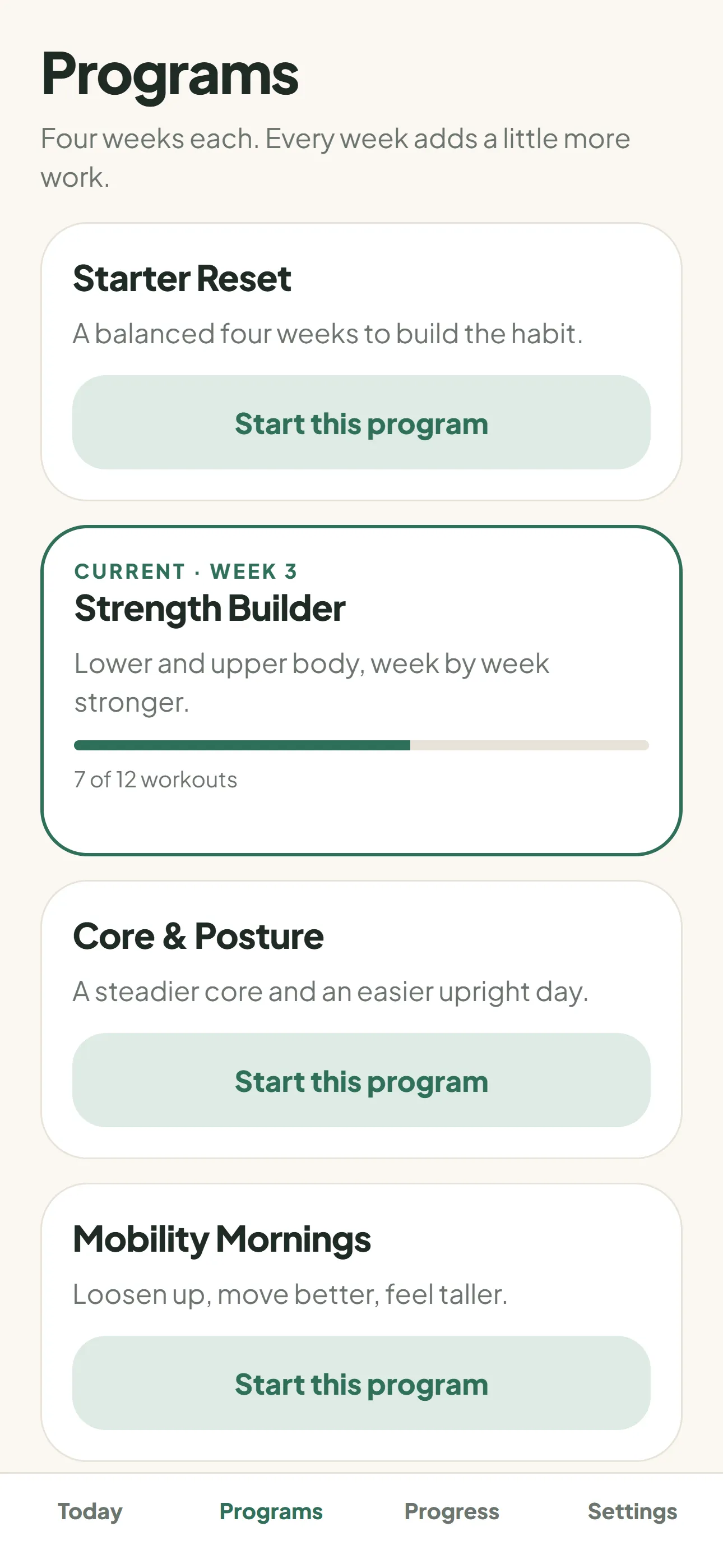
A plan that fits your week
Pick the days you want to train. You can still work out on any other day, and your program moves forward with what you actually did.
A timer that runs the workout
Work and rest intervals, a countdown ring, pause and skip. Optional voice cues and a gentle vibration on every step change.
A photo for every move
Two frames per exercise show the start and the finish. We do not have videos, so the written cue does the talking.
Easier and harder options
Each exercise comes with a simpler version and a tougher one. Use them on the day, no setup needed.
A streak with a rest-day shield
Miss one day in a week and your streak survives. Miss two in a row and it resets. We would rather forgive a bad day than punish it.
Weights you can track
Log the dumbbell weight you used. Tenglow remembers it and draws a small trend line on the progress screen.
Reminders and widgets
Optional reminders on your training days, plus home screen widgets that show your next workout and your streak.
Your data stays yours
No ads. Your plan and history live on your phone. Sign in only if you want a backup, and export or delete everything from Settings.
A look at the app
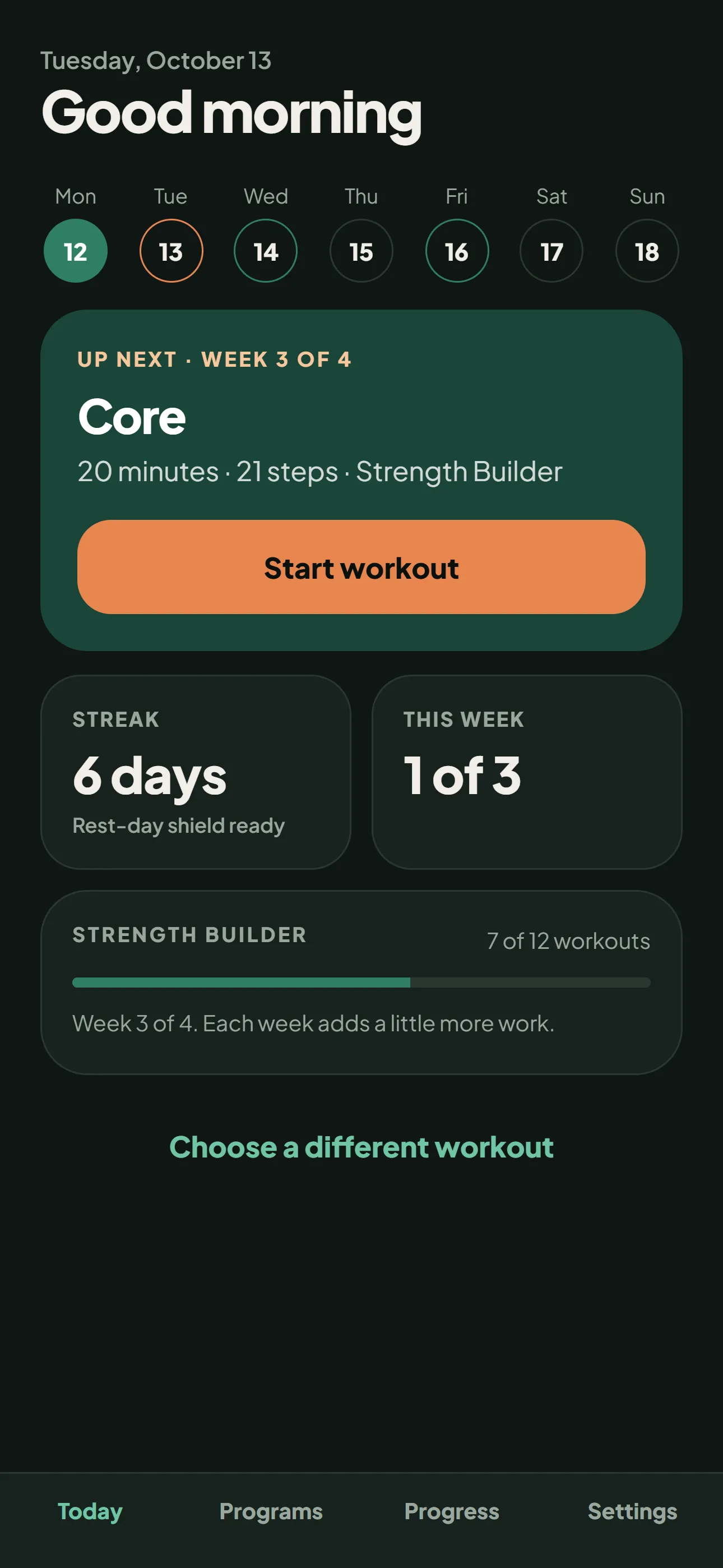
These are real screens from the app, in light and dark mode.
Every move has its own guide
Each exercise has a page with setup steps, common mistakes, breathing, and an easier and harder version. Here are a few to start with.

Bodyweight squat
Feet shoulder-width, sit hips back, knees track over toes, stand tall.

Push-up
Hands under shoulders, body in one line, lower with control. Drop to knees if needed.

Forearm plank
Elbows under shoulders, long line from head to heels, breathe.
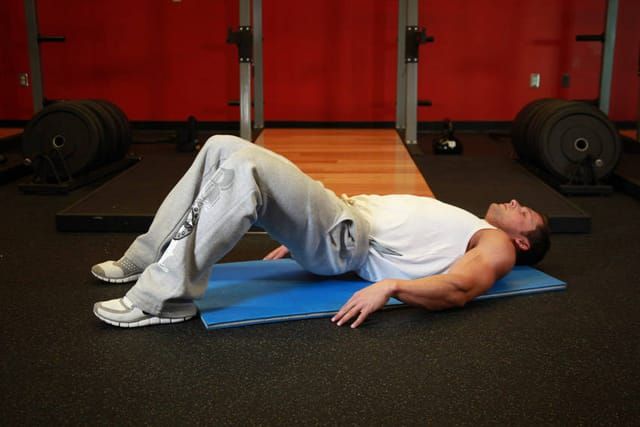
Glute bridge
Feet flat, press hips up, squeeze glutes at the top, ribs down.

Dead bug
Lower back stays pressed down, reach opposite arm and leg slowly.
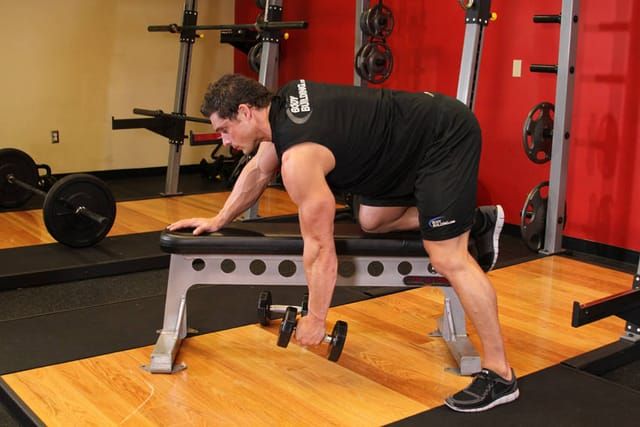
Dumbbell row
Hinge forward, pull the dumbbell toward your hip, squeeze your shoulder blade.
What does it cost?
Tenglow is free to download. You can see your plan and try one workout before you pay. After that, a subscription costs $9.99 a month or $59.99 a year, with a 7 day free trial. You cancel in your App Store or Google Play settings.
Common questions
Is Tenglow available yet?
Not yet. We are finishing testing and the store listings, and it will launch on iPhone and Android. The buttons on this site switch to real download links on launch day. If you want a note when that happens, email us and we will write back once.
Do I need any equipment?
No. Bodyweight workouts work with nothing at all. If you own dumbbells or resistance bands, say so in the quiz and Tenglow will use them. It never plans a move that needs something you did not select.
How long are the workouts?
You choose 10, 20 or 30 minutes. A 10 minute workout has about 11 steps and a 20 minute workout has about 21. Each one starts with a short warm-up and ends with a short cool-down, and the timer shows work and rest for every step.
What is the rest-day shield?
The rest-day shield forgives one missed day per week, so your streak keeps going. If you miss two days in a row, the streak resets. The shield renews every Monday, and the Today screen shows whether it is ready or already used.
Do I need an account?
No. Tenglow works without one, and your plan and history stay on your phone. An account is optional: sign in with Apple or an email code if you want a backup and the ability to use Tenglow on more than one phone. There are no passwords.
Ten minutes is enough to start
Tenglow is launching soon. Email us and we will tell you the day it goes live.